










Catland Block 9x9 brings adorable cat shapes to a grid of tricky spatial decisions. Clear rows, columns, and squares while preserving precious space!
CAT SHAPES ACROSS NINE ROWS
Every piece stays fixed after placement in Catland Block 9x9, so the central challenge is keeping a 9x9 grid open while fitting incoming cat shapes. Clear complete rows, full columns and filled 3x3 squares off the board to increase your score and make space for subsequent placements. These three clearing options make each empty cell part of more than one possible arrangement. A piece might extend a horizontal line while also filling part of a square. Looking at both possibilities helps you decide where its shape contributes most, rather than choosing the first opening it fits.
Fit Pieces Before Spaces Close
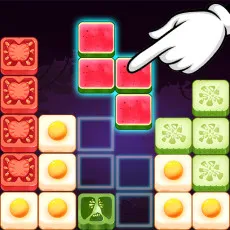
Use the mouse to drag an available piece into an empty area of the grid. Fill all nine cells in a row or column to clear that line, or complete a 3x3 square to remove that section. New cat figures enter after placement, giving you another shape to accommodate within the remaining spaces. Placed pieces cannot be moved again. Before you release a shape, ask yourself what holes it will leave and is it moving a line or square closer to completion? Hints appear when the layout becomes tight, offering guidance as your placement options narrow.
Which Gaps Can Hold Cats
Catland Block 9x9 combines a clear scoring goal with a permanent-placement rule. Completing sections raises your points, but each move also changes where the next figures can fit. The useful balance is between clearing occupied cells and preserving workable openings. The restrained board presentation keeps attention on the cat shapes and their positions. Plan your next row, column, or square in Catland Block 9x9.