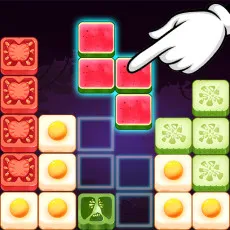









Fruit Blocks Puzzles brings a juicy twist to group-clearing puzzles. Pair neighboring fruits wisely until the board is completely empty!
CLEAR FRUIT BLOCKS IN MATCHING GROUPS
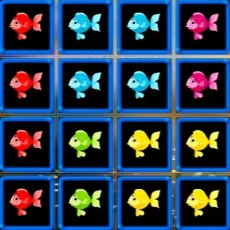
Fruit Blocks Puzzles challenges you to clear all the blocks off the board. You can only clear blocks that are next to each other. Click a group of two or more similar fruit blocks to remove them. Use a mouse or touch pad to play, choosing groups according to the fruit blocks positioned beside one another. A level is complete only when no blocks remain. Removing a large group can advance that objective, but the remaining arrangement also matters: every block still needs at least one identical neighbor to qualify for elimination.
Identical Neighbors Across the Board
The minimum group size is two, so a single fruit block cannot be removed on its own. Two matching blocks are sufficient when they are neighbors, while larger matching groups also meet the requirement. This makes neighboring fruit types the main information to examine before selecting a group. In Fruit Blocks Puzzles, the immediate result of a move and its effect on the unfinished board need to be considered together. A group may be eligible for removal without necessarily being the best group to choose first. Before clicking, inspect which fruit types remain elsewhere and whether their blocks have the matching neighbors they require.
Which Fruit Groups Should Go First
The rules create a focused planning task: eliminate valid groups while working toward a completely empty board. A partially cleared board does not meet the level objective, even if most of its blocks have been taken away.
Consider the groups available for the criteria that each remaining block must have a matching neighbor. In Fruit Blocks Puzzles, when you’ve chosen the blocks that’ll remain, delete your chosen fruit category.